Endless Sound Shaped
Around Your Ringing.
Sound designed by game audio veterans to help you tune out the tinnitus ringing and sleep. Tactile five-channel control, personalized notch filtering, and 44+ acoustic field recordings.
Five-Channel Tactile Mixer Console
Graphite volume faders, real-time balance control, and warm incandescent indicator lamps. Blend nature atmospheres with generative brown & pink noise without repeating loops.
Why "Too Much Control" is Toxic for Tinnitus
When you're trying to sleep at 1 AM, obsessively tweaking 15 complex parametric EQ sliders stimulates the auditory cortex and causes hyper-fixation. Tinnora provides curated simplicity with tactile depth.
Level 1 · The Bedtime Surface
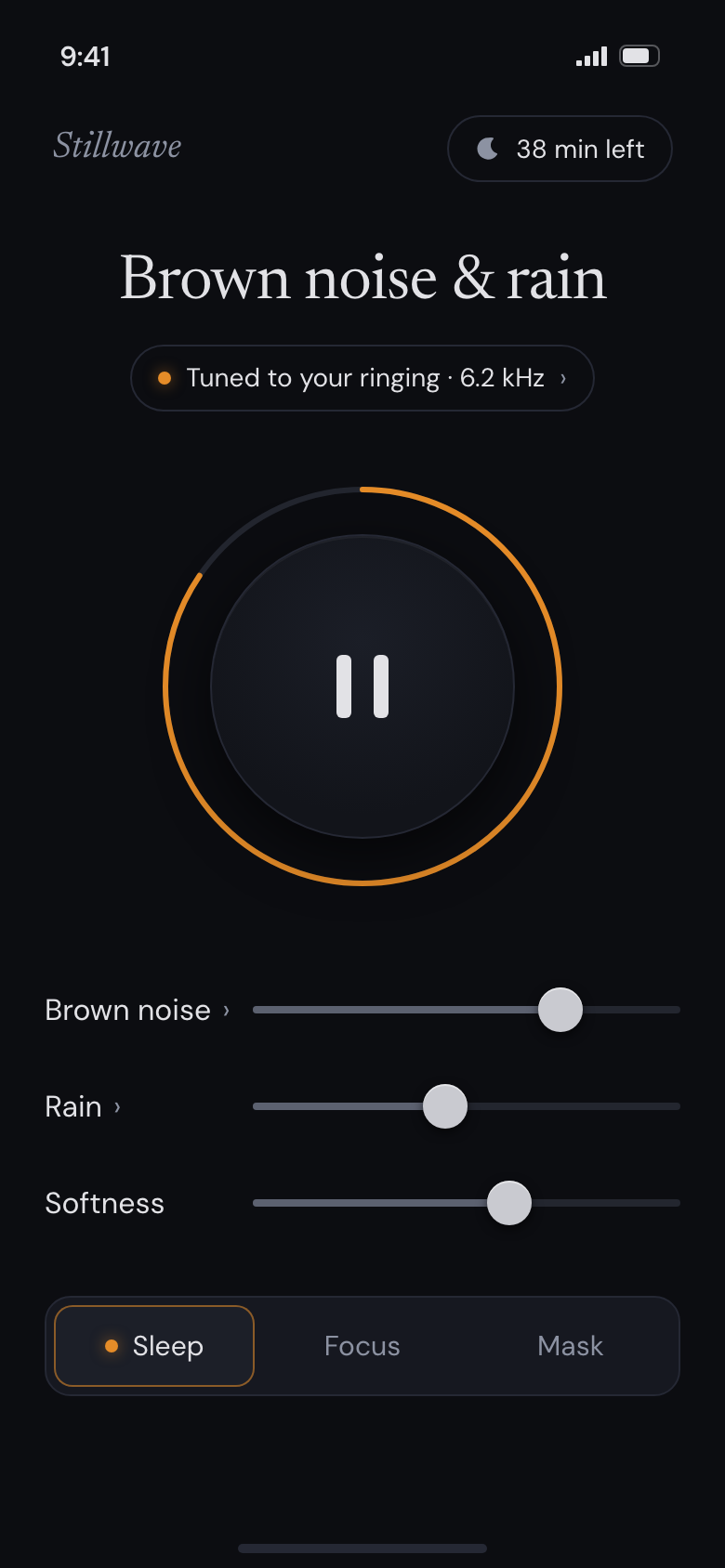
One tap. A large tactile play disc with a glowing amber sleep-timer ring. Zero cognitive load in the dark. Instant relief plays in under two seconds.
Level 2 · Five-Channel Console
Tactile graphite faders for noise, nature ambience, and softness. Each channel displays the actual sound playing with click-free equal-power crossfading.
Level 3 · Set Once & Forget
Match your tinnitus pitch once during setup. The acoustic notch filter runs silently in the background, never tempting you to test your ears at night.
Lock Screen & Live Activity
Control your mix, pause playback, or extend the sleep timer directly from the lock screen and Dynamic Island without ever unlocking your phone in bed.
The Notch Filter: Soften the Frequency You Fixate On
Traditional white noise blasts high hiss equally into your ears, which can actually fatigue damaged hair cells. Tinnora uses tailored acoustic notch filtering to target your specific tinnitus frequency.
By carving out a narrow dip around your ringing pitch (e.g., 6.2 kHz or 8 kHz), the surrounding sound calms the hyperactive auditory neurons while allowing your brain to naturally de-fixate.
- ✓Match My Pitch Accurately sweep between 500 Hz and 14,000 Hz to pinpoint your tone.
- ✓Soften vs Cover Modes Choose whether to carve out the notch (Soften) or blend band-pass noise over the pitch (Cover).
- ✓Hold to Hear Without Tuning Compare A/B instantly to feel the cognitive release of the notch.
Why Tinnora is Different
Most tinnitus apps are either dated clinical tools or generic sleep apps with harsh repeating loops.
| Capabilities | Tinnora | Clinical Hearing Apps | Generic Sleep Noise Apps |
|---|---|---|---|
| Audio Generation | Non-looping game audio engine | 30-second repeating loops | Short looping MP3s |
| Tinnitus Notch Filtering | Yes (500 Hz – 14 kHz) | No (broadband only) | None |
| Bedside UX (Glaze & Dark) | Pure OLED Obsidian black | Harsh white clinical UI | Distracting bright animations |
| Lock Screen Live Activity | Yes (iOS 16+ Live Activity) | None | Basic audio controls only |
| Privacy & Telemetry | 100% On-device, 0 ad SDKs | Clinical telemetry tracking | Ad networks & user tracking |
| Offline Support | 100% offline procedural audio | Heavy streaming required | Cloud streaming downloads |
Everything You Need to Know
Helpful answers on sound masking, headphone safety, and how Tinnora works.